Now
a days, web programming is most popular among us and web programming
also has large scope, so people who want to be web programmers they
are attracted towards the web programming but it’s not so easy for
newbie’s, because they have to start from the beginning that they
hate a lot. But what can anyone do, they have to learn the basics
first, then and then they can move forwards to advance web
programming.
For
newbie’s learning basics is a better choice but it takes time to
understand everything about web designing and formatting. But web
programming take new steps every day, in this situation it's quite
difficult for newbie’s to match with the programmers who are
gamblers of coding.
But
when there is a will there is a way, Mozilla introduces their open
source software X-Ray Goggle that can help the programmers to do
anything without coding, you just have to make changes in existing
coding and you are done. Many people say that it's a hacking and it's
wrong thing to do, but people have miss concepts related to hacking.
Hacking is not wrong thing to do, if you have any problem regarding
your web programming and you come out with solution through Mozilla
X-Ray then it's called as hacking and it's good thing to do.
Now,
you will think we have many software on Internet from which we can do
the same things, so why go for X-Ray Goggle. First thing is that it
is open source, so no need to pay anything to anyone. Second is that
it is quite easier to learn and apply on your web page. I had learned
about this software in Mozilla workshop held on 6th March
2013 at N.D.M.V.P college of Engineering by Ankit Gadgil.
Following
are the steps for installing X-Ray Goggle and how to work with it.
 |
| Fig:01 |
Step
2: As you can see on Web site of X-Ray Goggle to install it just
drag and drop it on your toolbar as shown below.
 |
| Fig:02(a) |
 |
| Fir:02(b)
|
Step
3: Open any website on which you want to make changes. I am changing
the image on Google.com, for that you have to copy the image
location of other image which is going to be replace, for that just
go on Google.com and search any image, open it and right click on
image and select option “copy image location”. Now the image
location has been copied then go to the website where you want to
make changes.
 |
| Fig:03 |
Step 4: Click
on X-Ray Goggle option on toolbar and move cursor to the Google
image.
 |
| Fig:04 |
Step 5: Now
click on the image, after clicking on image you will get the source
code of that image just replace that image URL with the URL you have
copied before.
 |
| Fig:05 |
 |
| Fig:06 |
 |
| Fig:07
|
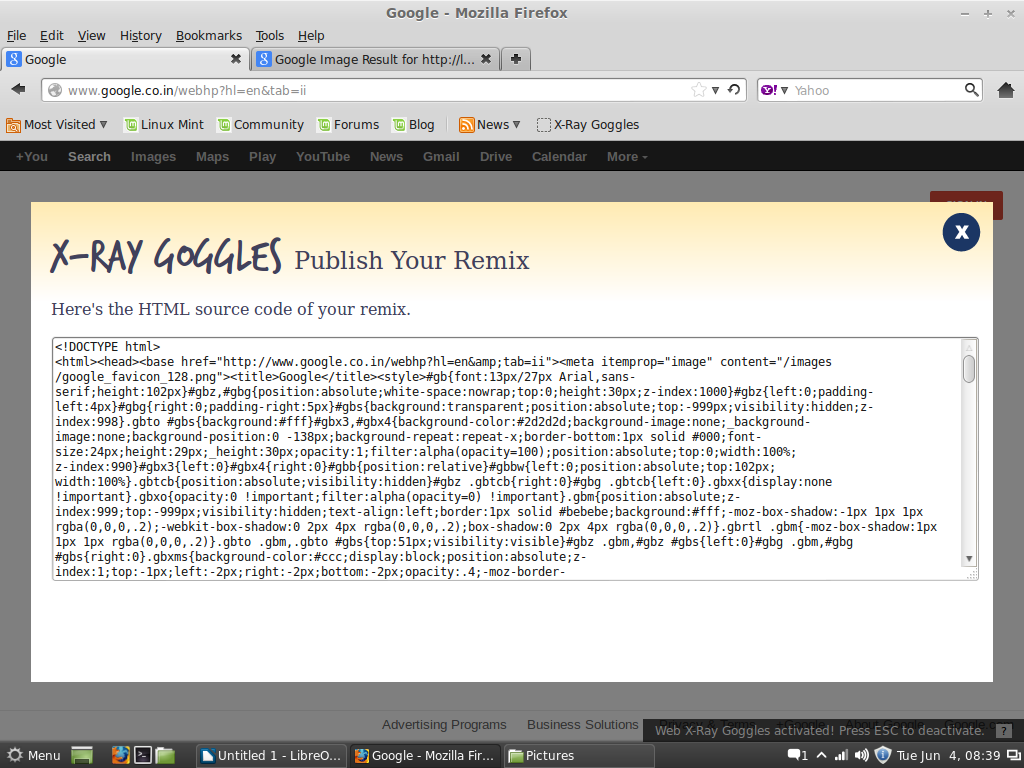
Step 6: After
replacing the image URL the actual image will be changed as you can
see, after that just click on commit button and the changes will
appear on actual page as well. This changes are temporary so you can
do two things either you can publish it on Internet or you can view a
source code of it and save it, or both can be done.
 |
| Fig:08 |
 |
| Fig:09 |
This
one is a small example of X-Ray Goggle, you can use it as you like
and add that codes to your own page.